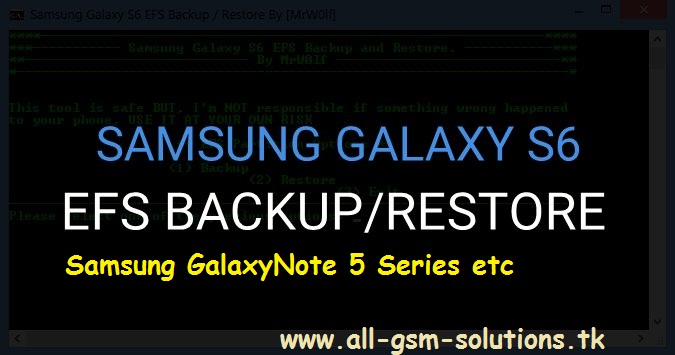
EFS Backup & Restore Tool For Samsung Galaxy S6 - S6 Edge - S6 Edge+ - Note 5 All Varients


EFS Backup & Restore Tool For Samsung Galaxy S6 - S6 Edge - S6 Edge+ - Note 5 All Varients


Supported Models:


  • Galaxy S6 [ SM-G920XXX ]
  • Galaxy S6 Edge [ SM-G925XXX ]
  • Galaxy S6 Edge+ [ SM-G928XXX ]
  • Galaxy Note 5 [ SM-N920XXX ]


*******ROOT NEED and ADB Enabled********

How To Backup ?

Download  Tool and Extract On Your PC
connect your phone to pc ( must be rooted and adb enabled ) and open tool
press "b" and hit enter
now program will start taking efs backup after backup complete u can see efs.img file in Data Folder
Enjoy


How To Restore  ?

Download  Tool and Extract On Your PC
connect your phone to pc ( must be rooted and adb enabled ) and open tool
press "r" and hit enter
now program will start restore efs backup from Data Folder ( file name must be efs.img )
Enjoy


caution: tool is safe but still use at your own risk


need any help ? comment below

Root Samsung Galaxy S6 Edge ATT ( SM-G925A ) Lollipop 100% Working Solution - Special Root Files

Root-Samsung-Galaxy-S6-Edge-ATT-5.1.1-Lollipop-SM-G925A

Root Is Only For Samsung Galaxy S6 Edge ( SM-G925A ) On Lollipop


  • Connect Phone To PC In Download Mode ( Volume Down + HOME + Power Button )  and Install USB Drivers ( Download ) IF Needed.
  • Open ODIN ( Download ) and Click On AP/PDA and Select S6-Edge-ATT-boot.tar.md5 ( Download )
  • Make Sure Repartition Option Is Not Checked
  • Now Click On Start Button and Wait 2 Minutes To Complete Installation
  • Enjoy.

Warning: Tested But Still Use At Your Own Risk.Backup Your Important Data First.

IF Any Problem Comment Below

Root Samsung Galaxy S6 ATT ( SM-G920A ) Lollipop 100% Working Method - Special ATT Root Files

S6-ATT-ROOT-CF-AUTO-ROOT-5.1.1-LOLLIPOP-G920A-boot

 Root Is Only For Samsung Galaxy S6 AT&T ( SM-G920A )  On Lollipop


  • Connect Phone To PC In Download Mode ( Volume Down + HOME + Power Button )  and Install USB Drivers ( Download ) IF Needed.
  • Open ODIN ( Download ) and Click On AP/PDA and Select S6-ATT-BOOT.tar.md5 ( Download )
  • Make Sure Repartition Option Is Not Checked
  • Now Click On Start Button and Wait 2 Minutes To Complete Installation
  • Enjoy.


Warning: Tested But Still Use At Your Own Risk.Backup Your Important Data First.

IF Any Problem Comment Below

Spectranet Nigeria Is Rolling Out New Plan March 2016 - Could Be Hurtful to Your Pocket.

Hey guys, i've got Good and Bad News for ya'll concerning one of Nigeria's fastest ISP (Internet Service Provider) Spectranet Nigeria , they will be rolling out a new plan on March 15 and it's due to perhaps the challenges facing the Nigerian economy. from the dollar to naira exchange rate fluctuation to a gradual fuel scarcity and every other thing in the country rising beyond expectation. (Pss! Sachet Water is officially N10).

Anyways i'm not here to talk about politics in the Nigerian economy, this is about Spectranet's new plan which i think might affect SME/Work At Home entrepreneurs. Well let's take a recap, if you remember i posted

Spectranet Nigeria now offers almost Unlimited Data Plan - See 2014 Prices.

sometime in 2014

Well the post however go huge views and i guess people loved the good news but this time i think it's going to be bad news for other people due to the price hike which went to over 40% increase and i think it's really sad.

 See the image below for the new price plan rolling out on the 15th of March 2016...

New Plan Rates in Words:

  • 2GB - N3,000 - 24x7 - Monthly  - No Bonus

  • 5GB - N5,000 - 24x7 - Monthly - No Bonus

  • 20GB - N10,000 - 24x7 - Monthly  - Yes Bonus: 10GB +Free Night Browsing Unlimited

  • 50GB - N20,000 - 24x7 - Monthly - Yes Bonus: 10GB +Free Night Browsing Unlimited

  • 100GB - N40,000 - 24x7 - Monthly  - Yes Bonus: 10GB +Free Night Browsing Unlimited

  • 200GB - N70,000 - 24x7 - Monthly - Yes Bonus: 10GB +Free Night Browsing Unlimited

  • 20GB - N7,500 - 7pm-7am - Monthly - No Bonus

  • 5GB - N5,000 - 7pm-7am - Monthly - No Bonus


Compared to this back in 2014...


They really scrapped alot of plans tho!

Now let's see the difference using a plan as an example, back then and up till today(March 04) Spectranet Nigeria's Cheapest Night plan used to be N4,000 for 20GB 6pm to 8am but now the new price for this same plan is now N7,500 for 20GB 7pm to 7am. Old subscribers to this plan will never go for this trust me!

Well the special adviser to Spectranet Nigeria thought as much so what they did is, if you buy the 24x7 Plan which used to be N7,000 for 20GB monthly and now N10,000 for the same 20GB you get 10GB extra and UNLIMITED Night browsing(designed for people who don't like to sleep, this FREE browsing starts by 1AM and ends 7AM).

But this is the BIG KILL!!! Especially for those who used to subscribe for the N7,000 plan, N3,000 difference for an all night UNLIMITED BROWSING and 10GB extra should serve justice to that extra cost. I trust some Night surfers will abuse this but before the do they have to serve time till 1AM in the midnight before the FREE NIGHT BROWSING activates.

So the summary here is that, whether you like it or not Spectranet has upgraded their plan to take more money from your pocket to meet up with the current situation in the country. I'm certain this plan would beat their competitors Swift, Smile etc (Prove me wrong in the comments below)

Let me elaborate tho, with the dollar brouhaha and the so called Epileptic Power sector how do we expect this guys to cope ? Especially when they buy this data with Dollars from the Fiber Optics guys ? As at to Naira to One dollar is N330

I'm not justifying this hike but when a business has to Strive the customers are the ones to pay the Price!

See you guys later and hopefully my next post on Spectranet would be that they have finally brought back the 24/7 UNLIMITED PLAN!

Infinix X350 Stock Firmware Download


Infinix Surf Smart X350 Stock Rom v4.1

Infinix X350 Jelly Bean Stock Rom

Infinix Official Flash Tool - Step By Step Guide To Install This Stock Rom ON Infinix X350

Infinix Surf Smart X350 USB Drivers

Infinix X260 Stock Firmware Download

Infinix-X260-Stock-Rom-Download


Infinix Buzz X260 Stock ROM v4.0

Download Infinix X260 Stock Rom

Infinix Buzz X260 USB Drivers

Infinix X260 Flash Tool - Step By Step Tutorial

Root Samsung Galaxy Young 2 4.4.2 - SM-G130HN - Odin Method


Only For SM-G130HN Running On Android 4.4.2

  • Download SM-G130HN Root File From Here 
  • Now Put Your Samsung Galaxy Young 2 In Download Mode and Connect To PC.
  • Run ODIN Ad Admin
  • Click On PDA  Select Root File G130HNXXU0ANH2_ROOT_masterRt1994.tar 
  • Now Click On Start Button
  • Odin Will Start Installing This Root File After Complete Phone Will Reboot Auto and Start Rooting.
  • Enjoy.